SAILSCANFASTER BY NUMBERS.FROM A PHOTOCAMBER · DRAFT · ENTRY · EXIT · TWISTFOR SAILORS AND COACHES SAILSCANFASTER BY NUMBERS.FROM A PHOTOCAMBER · DRAFT · ENTRY · EXIT · TWISTFOR SAILORS AND COACHES SAILSCANFASTER BY NUMBERS.FROM A PHOTOCAMBER · DRAFT · ENTRY · EXIT · TWISTFOR SAILORS AND COACHES SAILSCANFASTER BY NUMBERS.FROM A PHOTOCAMBER · DRAFT · ENTRY · EXIT · TWISTFOR SAILORS AND COACHES

FROM A PHOTO

FASTER BY NUMBERS.

SailScan reads draft stripes from a phone photo and gives you camber, draft, entry, exit and twist for each one.

For sailors and coaches.

FROM A PHOTO

READ THE STRIPES

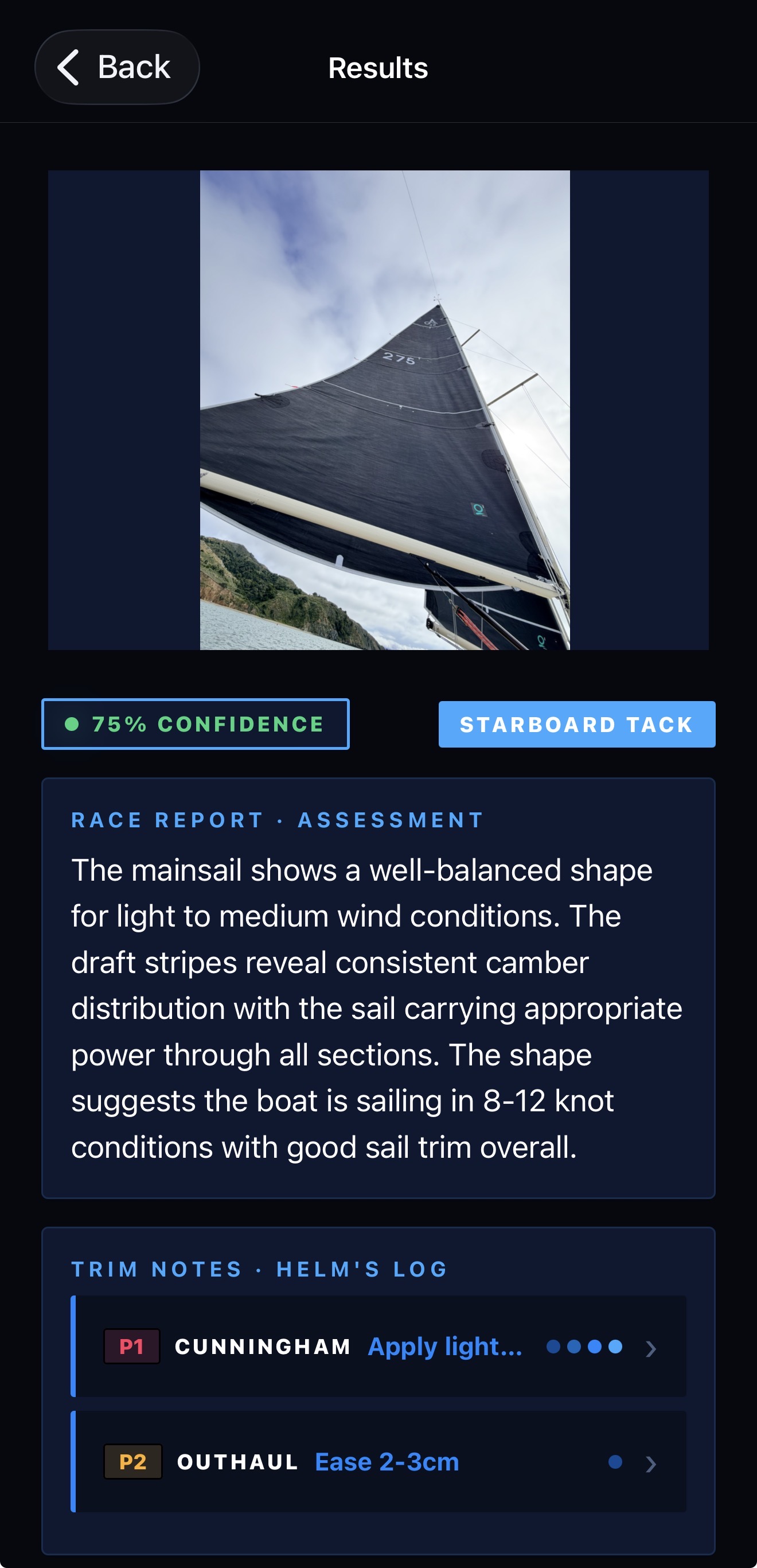
The model finds each draft stripe and traces its curve from luff to leech. Mainsails and headsails. Port or starboard tack.

MEASUREMENTS

MEASURE THE SHAPE

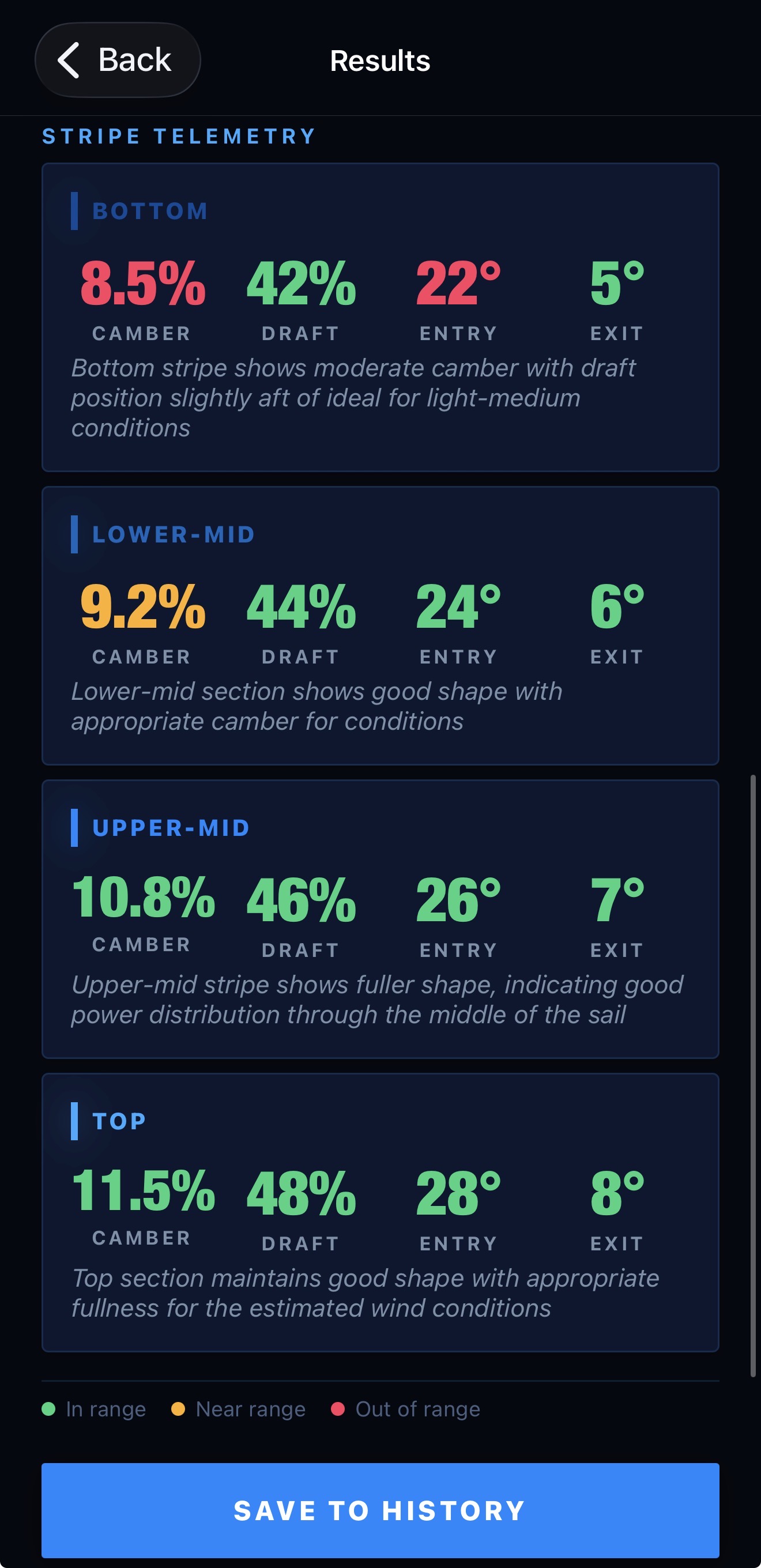
Get camber, draft, entry, exit and twist in a consistent format. See the shape at every stripe.

COMPARE

RECORD THE SETTINGS

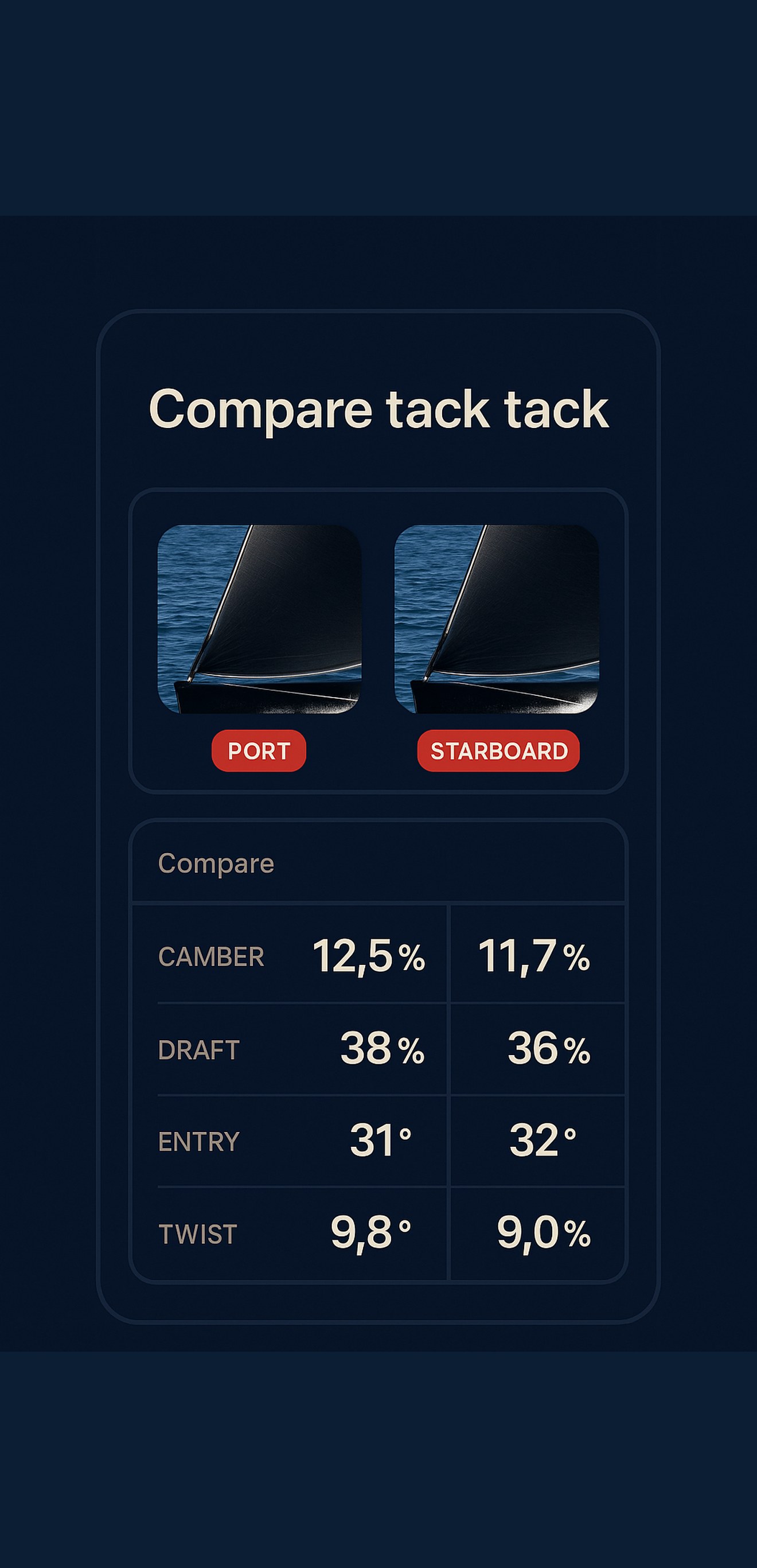
Save scans, compare shape and keep a record of the settings that work. Use the same numbers in the boat and in the debrief.

It works on everything from an Optimist to a super maxi.

SailScan comparison showing two sail photos and measurement differences
COMPARE
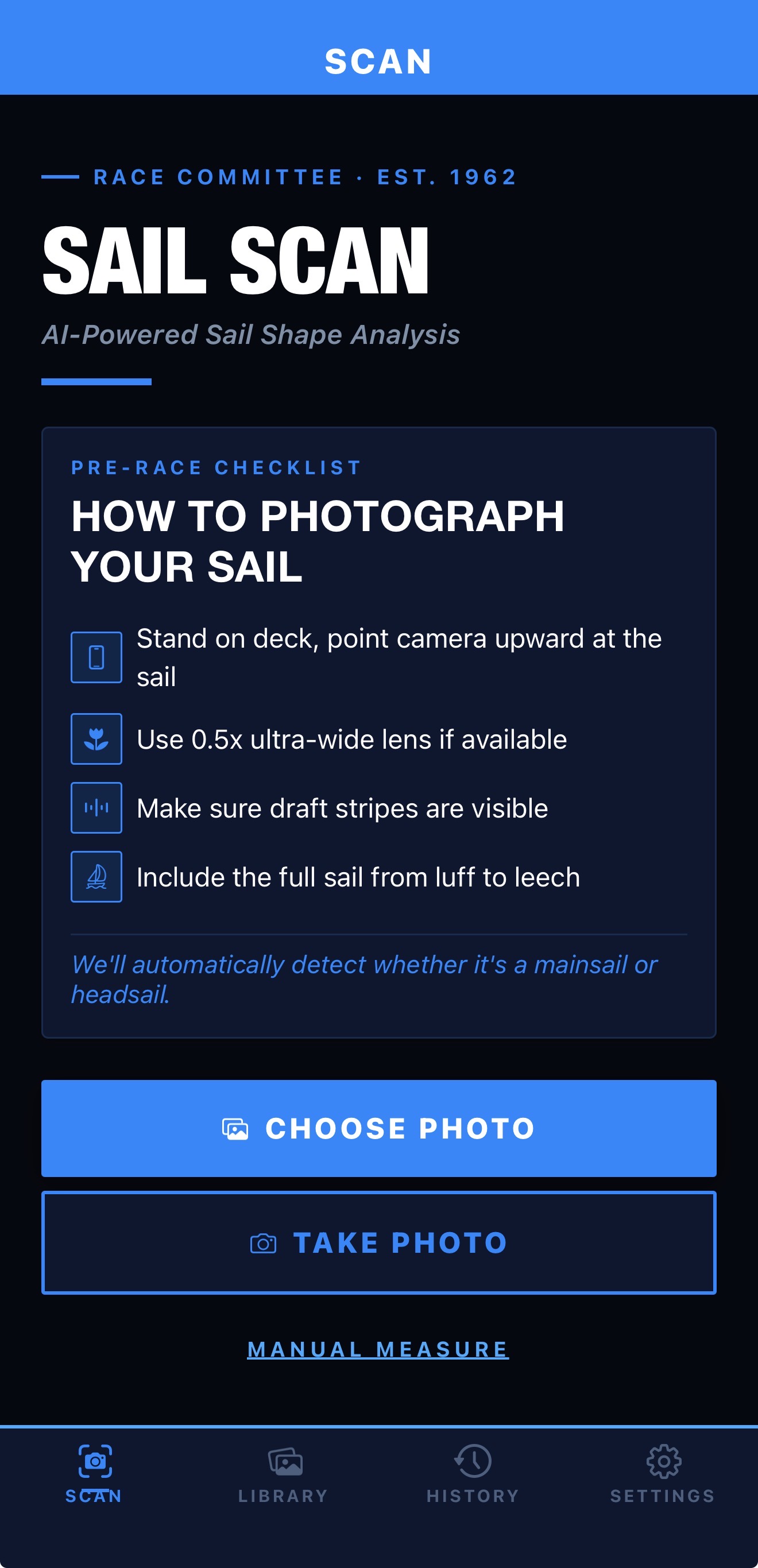
SailScan camera ready to photograph a sail
PHOTO
SailScan report with a sail photo, traced draft stripes and shape summary
REPORT
SailScan measurements for camber, draft, entry, exit and twist
NUMBERS
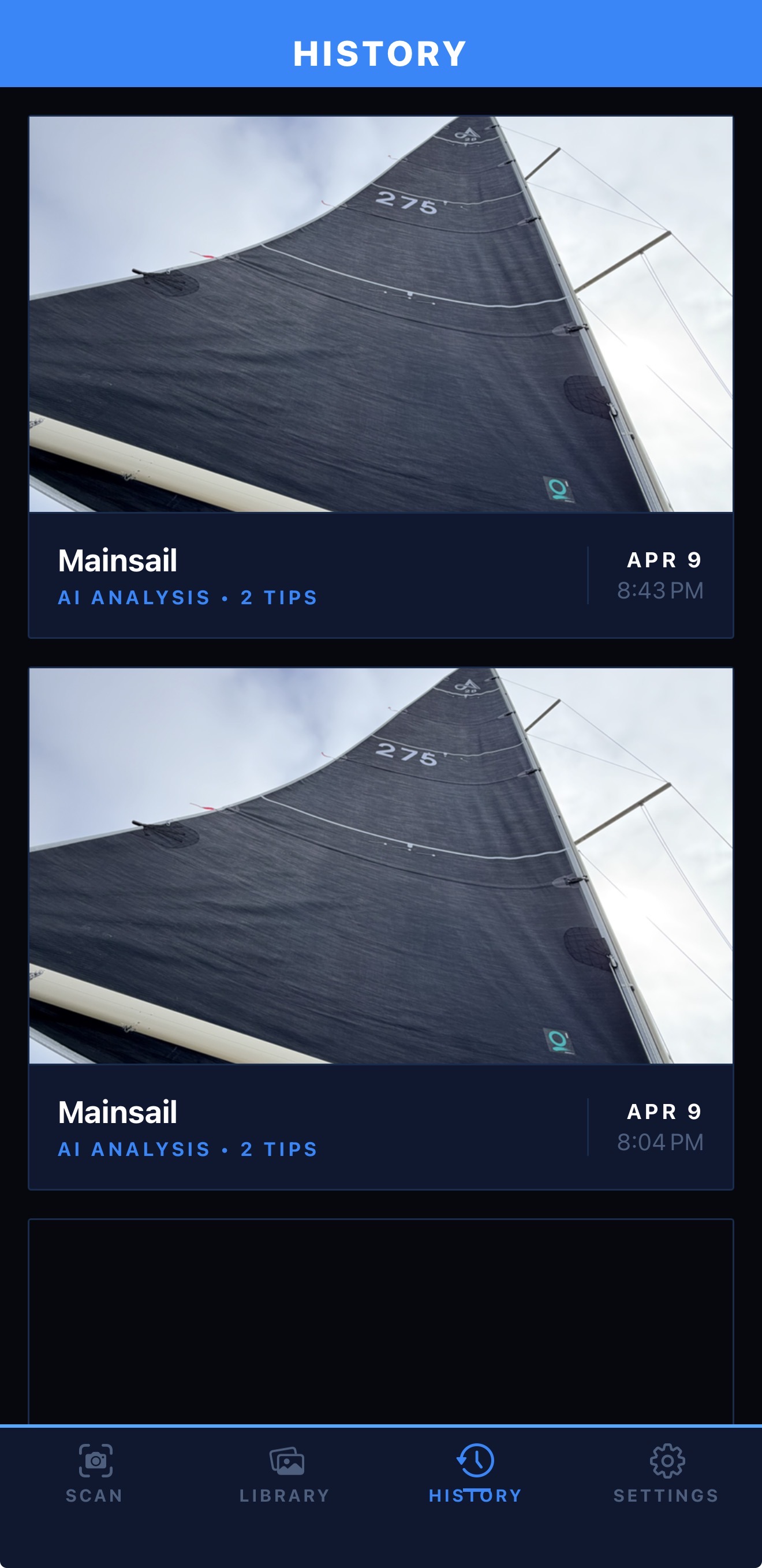
SailScan history with saved sail photos and scan details
HISTORY

FROM A PHOTO

01

TAKE A PHOTO

Frame the sail and keep every draft stripe visible from luff to leech. SailScan handles portrait and landscape photos.

02

READ THE NUMBERS

The server traces the stripes and returns camber, draft, entry, exit and twist. Each measurement comes from the detected points.

03

SAVE AND COMPARE

Keep the scan with your notes. Compare tacks, sails and settings with the same measurement order every time.

FASTER BY NUMBERS.

For sailors and coaches.